Food
Track food without searching
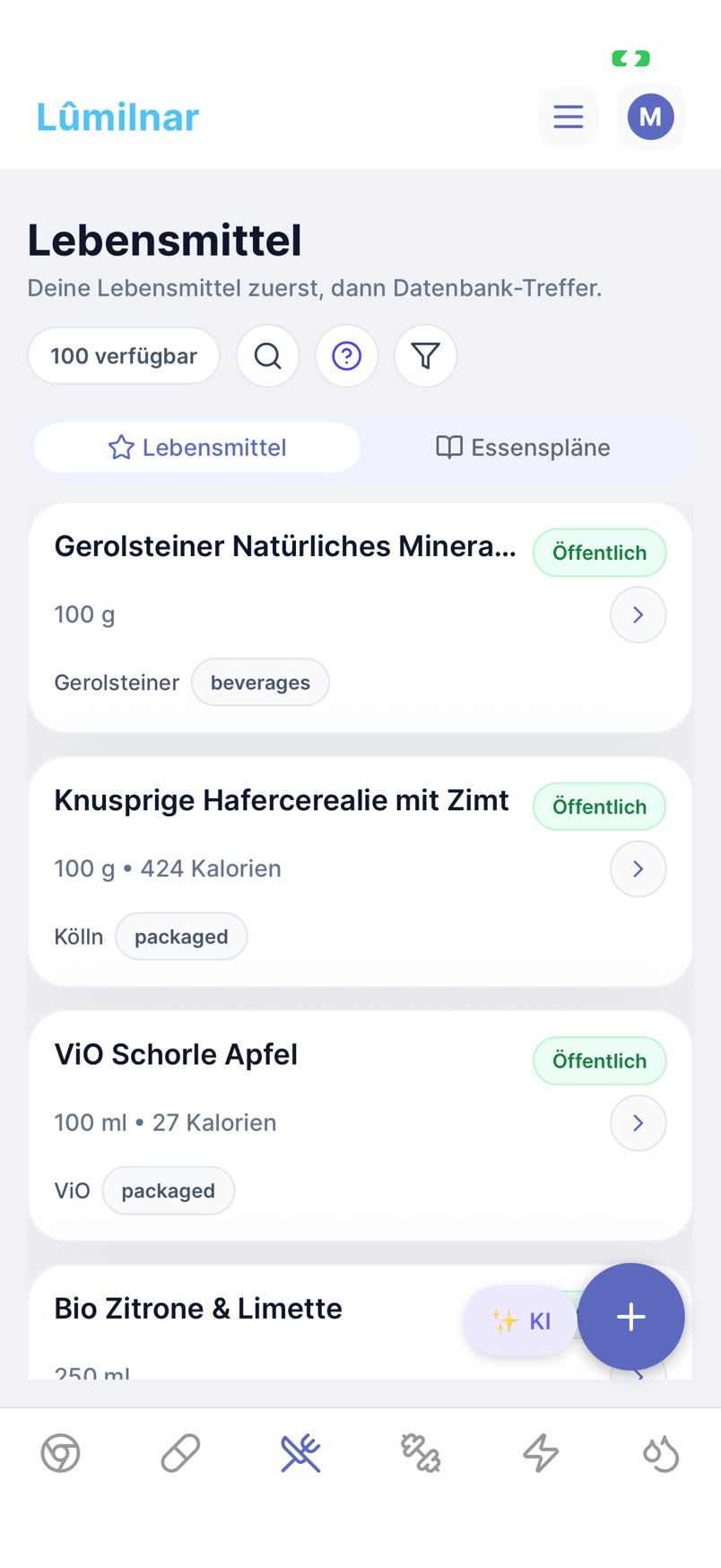
No typing into search boxes, no weighing every ingredient. You photograph the plate, scan the label or say one sentence – Lumilnar recognises the dish, breaks it into ingredients from a database of more than 8,000 foods and computes calories, macros and micronutrients. Branded products missing from the database are looked up online.
- Photo scan: plate or package, ingredients and amounts estimated automatically
- Text and voice: “salmon with broccoli last night” is enough
- Branded products: the label is found online and used as the basis
- Full nutrient profile instead of calories only
- Save meals, routines and weekly plans, daily balance
How to track a meal
- 1
Say or type what you ate
Open quick capture, speak or type: “lentil salad with feta and an apple for lunch”. The app understands amounts, times and “yesterday”.
- 2
Check the proposals
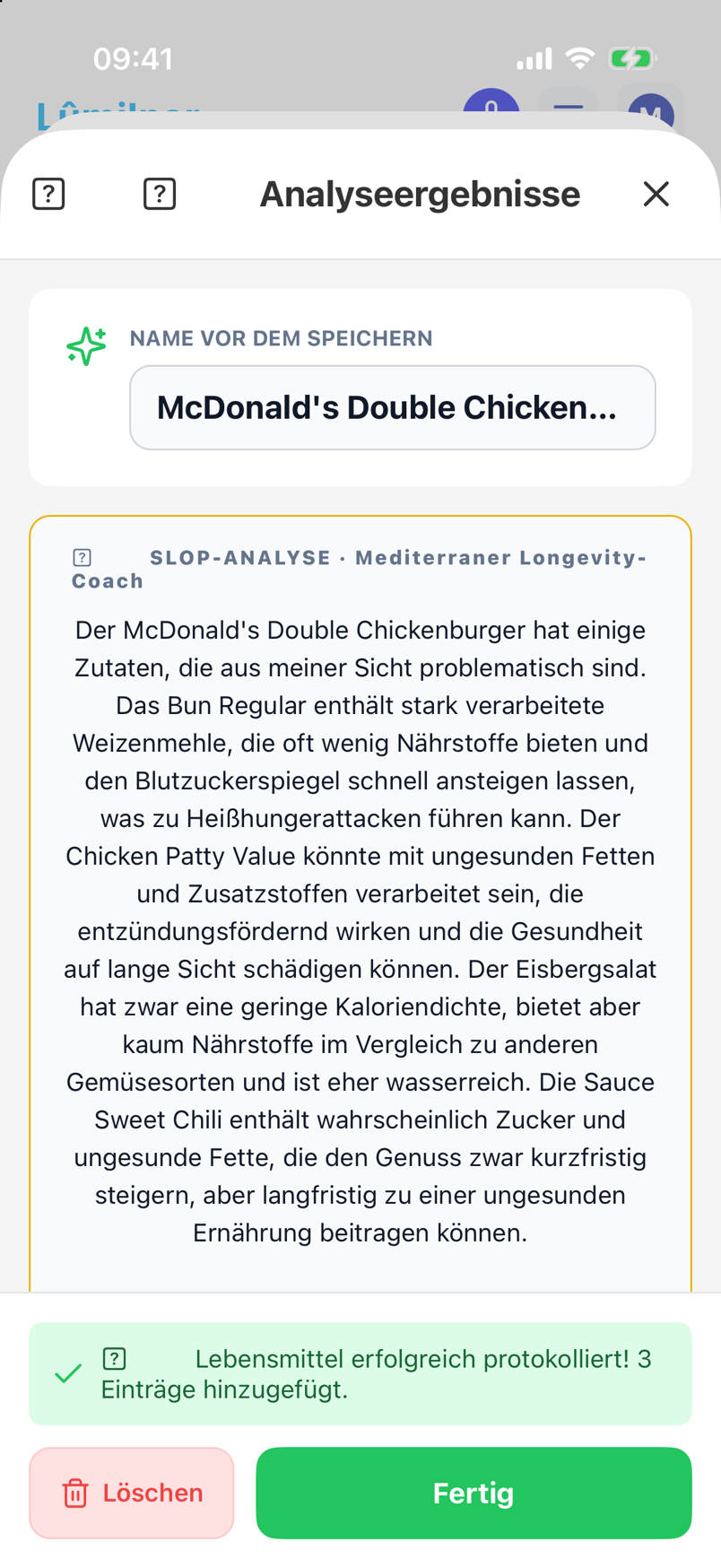
Lumilnar maps every ingredient to a food, estimates portions and shows alternatives. One tap corrects amount or product; anything wrong you untick.
- 3
Photo instead of words
With a plate photo the AI recognises the dish and its components; with a label it reads the nutrition table and the ingredient list. The result arrives as an overview where every ingredient can be adjusted.
- 4
Branded product? Found online
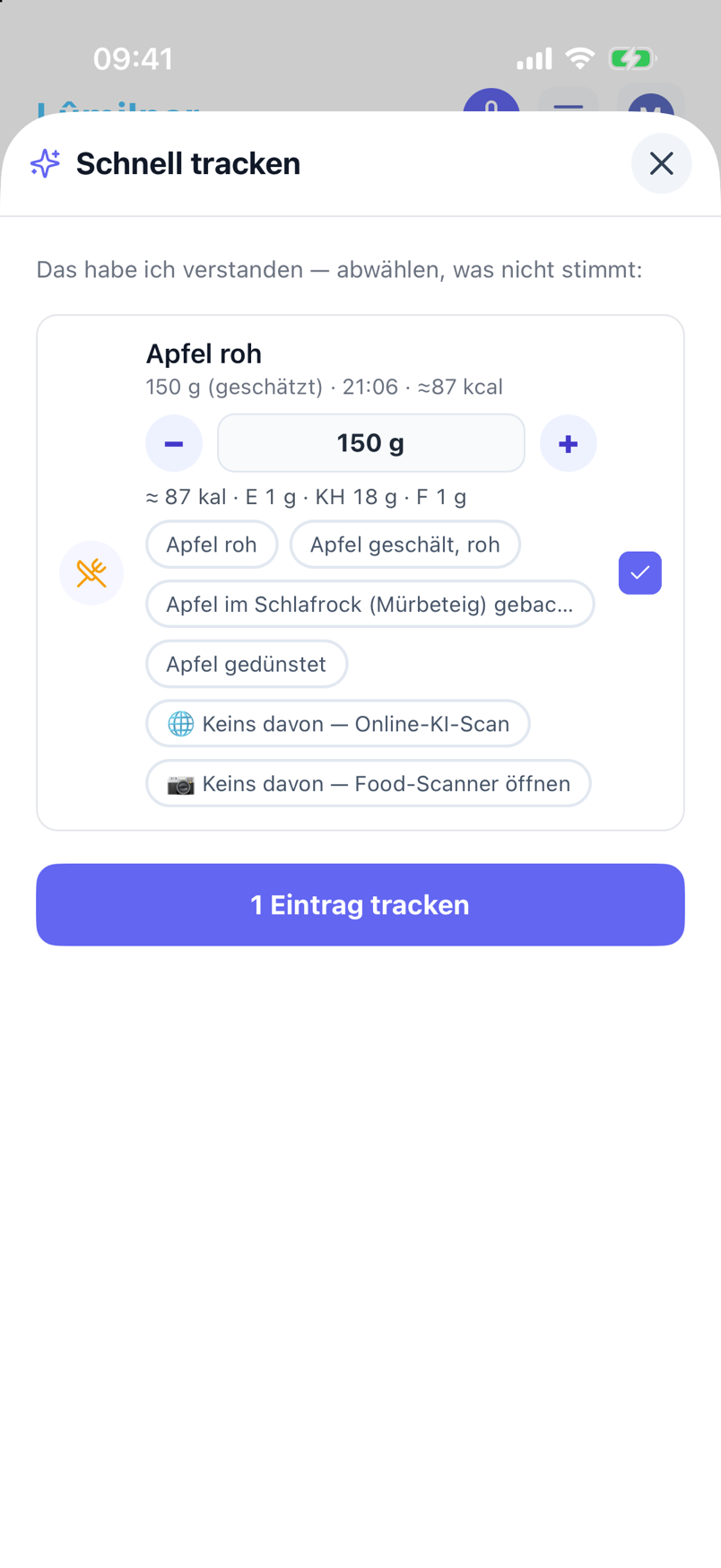
Type “Double Chickenburger from McDonald’s” and Lumilnar looks up the official nutrition table and ingredient list, breaks the product into bun, patty, sauce and creates it with the real label.
- 5
Daily balance and nutrients
The day timeline shows every meal; the statistics show calories, macros and micronutrients against your goals – not just the total but which meal contributed what.

Photo scan: plate, package, label
One photo is enough. The AI recognises whether it is a dish, a single food or a package. For packages it reads the nutrition table as a whole and the ingredient list, matches both against the database and computes the ingredients so they fit the table. For plates it estimates ingredients and amounts and shows how confident it is.
Misrecognised? Every ingredient can be swapped and every amount changed before anything is saved. The scan runs in the background – close the app and get a notification when the result is ready.
One sentence instead of a search box
“Breakfast: 60 g oats with blueberries and yoghurt” – Quick-Track understands amounts in grams, portions, piece counts and times like “last night” or “at 1 pm”. Your own foods and meals take precedence over the database; with several hits the app asks instead of guessing.
Anything not in the library is created by the AI scan from the text – for branded products with the label found online.
Branded products and restaurant food
A McDonald’s cheeseburger, a Twix, a frozen pizza: such products have official nutrition facts. Lumilnar finds them online, takes calories and macros from the label and reconstructs the ingredients (bun, patty, cheese, sauce) from the database – so you also get micronutrients that no label prints. The result is saved as a meal with ingredients and tracked with one word next time.

The full nutrient profile
The basis is the German Federal Food Code (BLS) with more than 8,000 foods and over 130 nutrients per entry: vitamins, minerals, trace elements, fatty acids, amino acids. Every meal feeds your daily balance, and the statistics reveal gaps – too little magnesium or omega-3 across the week – before you feel them.

Meals, routines, weekly plans
What you eat often you save as a meal with ingredients and portion size. Routines log recurring meals at fixed times, weekly plans distribute them over days. Meals and plans can also be created by Claude and ChatGPT – from a recipe in the chat.

Slop check: what is really in it
During a label scan the slop check rates the ingredient list: additives, types of sugar, seed oils, ultra-processed components. The result is a scale from gold to slop with the ingredients responsible – as a nudge, not a ban.

Frequently asked questions
How accurate is the calorie estimate from a plate photo?
As accurate as the amount estimate: for clearly visible portions usually within ±20 %. For packages and branded products the numbers come straight from the label and are exact accordingly. Every amount can be adjusted before saving.
Which food database is behind it?
The German Federal Food Code (BLS), extended by branded products from label scans and your own foods and meals. More than 130 nutrients are stored per food.
Does barcode scanning work?
Yes. A barcode delivers the package data as the basis; the ingredient list and the nutrition table are then processed like a label scan.
Can I save recipes with several ingredients?
Yes, as a meal with an ingredient list and portion size. When tracking you enter portions and the nutrients are computed from the ingredients. Ingredients can be adjusted per entry or changed permanently in the recipe.
Do I have to log every meal immediately?
No. “Last night” or a concrete date in the sentence is enough and the entry lands on the right day. Claude and ChatGPT can log meals retroactively too.
Lumilnar is on the App Store – free during the open beta.
Get it on the App Store