Supplements
Track supplements – from the label to the intake
Photograph the bottle and Lumilnar reads name, active ingredients, dose and additives from the label. Then you know whether the dose sits in the usual range, what the chemical form means for absorption and whether the product fits your bloodwork. You track intakes with one sentence.
- Label scan: active ingredients, amounts and additives captured automatically
- Deep dive: dose vs. typical vs. upper limit, form and absorption, interactions, fit with your data
- Routines with weekdays and reminders
- Intake by voice, text, a tap or through Claude
How to add a supplement
- 1
Photograph the label
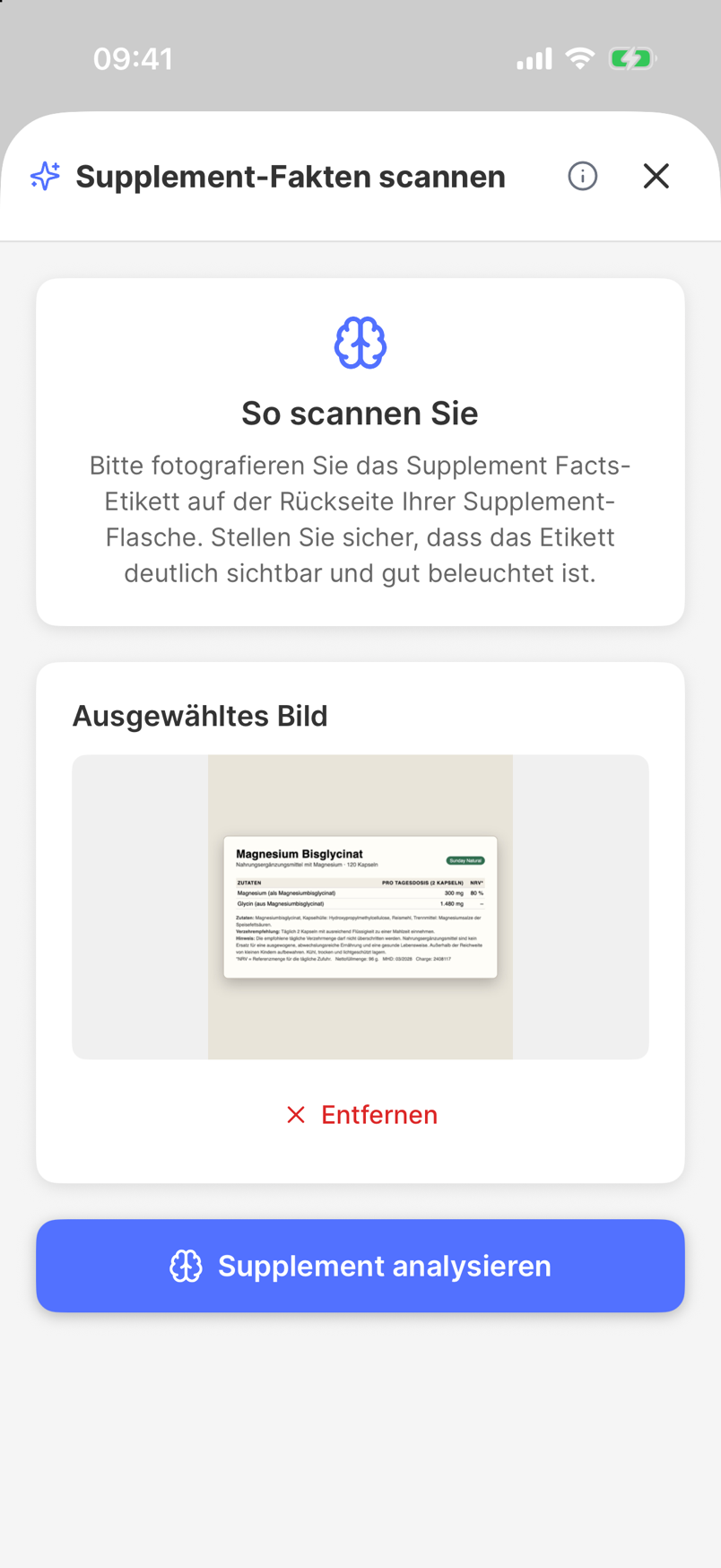
Tap + in the library, then the scanner. A photo of the front and back is enough; the AI reads product name, brand, form, serving size and the complete ingredient list.
- 2
Check the result
The result screen shows the active ingredients with amounts and flags additives that deserve a second look. Anything misread you correct right in the form.
- 3
Read the deep dive
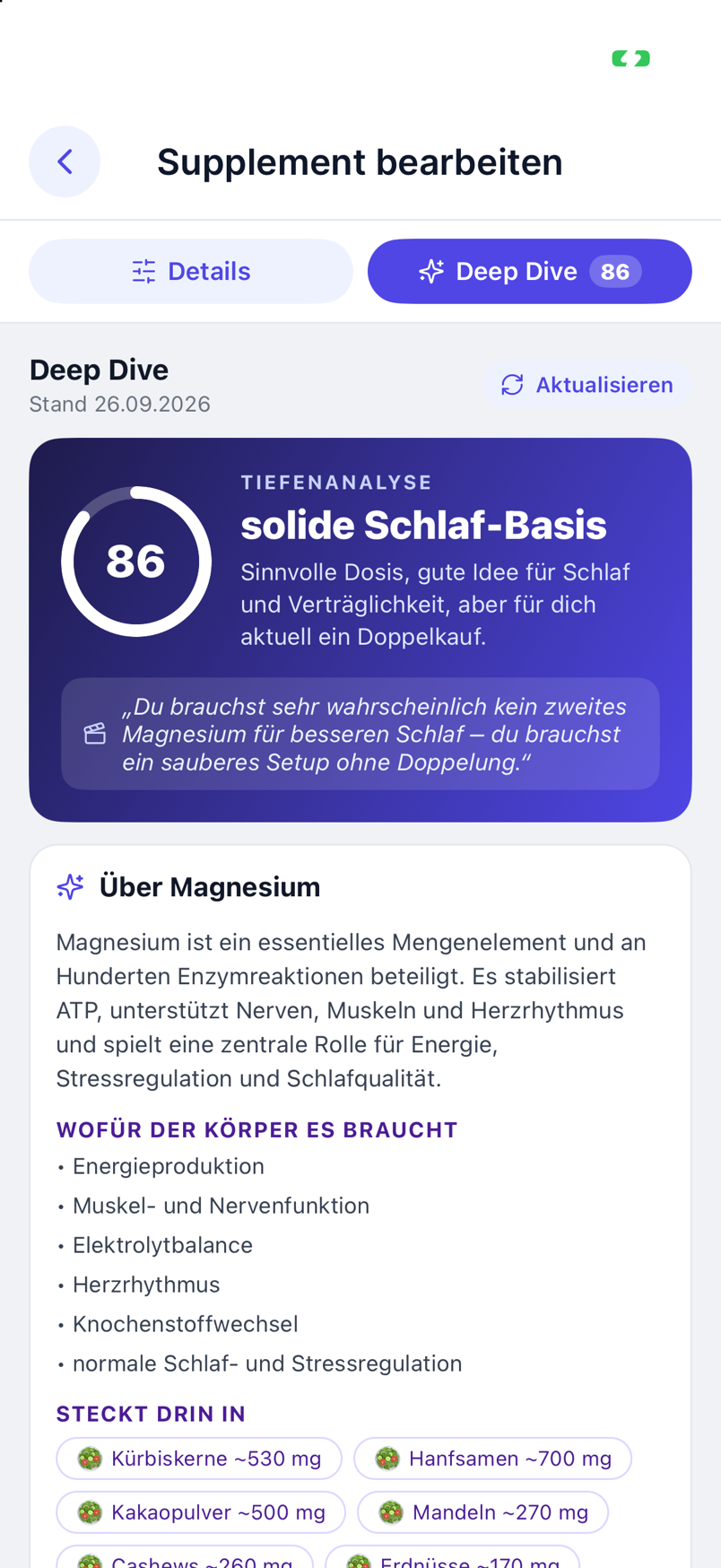
While you check, the deep analysis runs in the background: what the substance is, what the body needs it for, how the dose compares with typical amounts and upper limits, what the chemical form changes, which interactions exist – and how it fits your lab values and your stack.
- 4
Create a routine
Set when and on which days you take it. Lumilnar reminds you and logs the intake with one tap.
- 5
Track the intake
Say “took magnesium and zinc” into the mic, type it, confirm the reminder – or tell Claude in the chat. The intake lands in the day timeline and in the statistics.
Your library instead of a product database
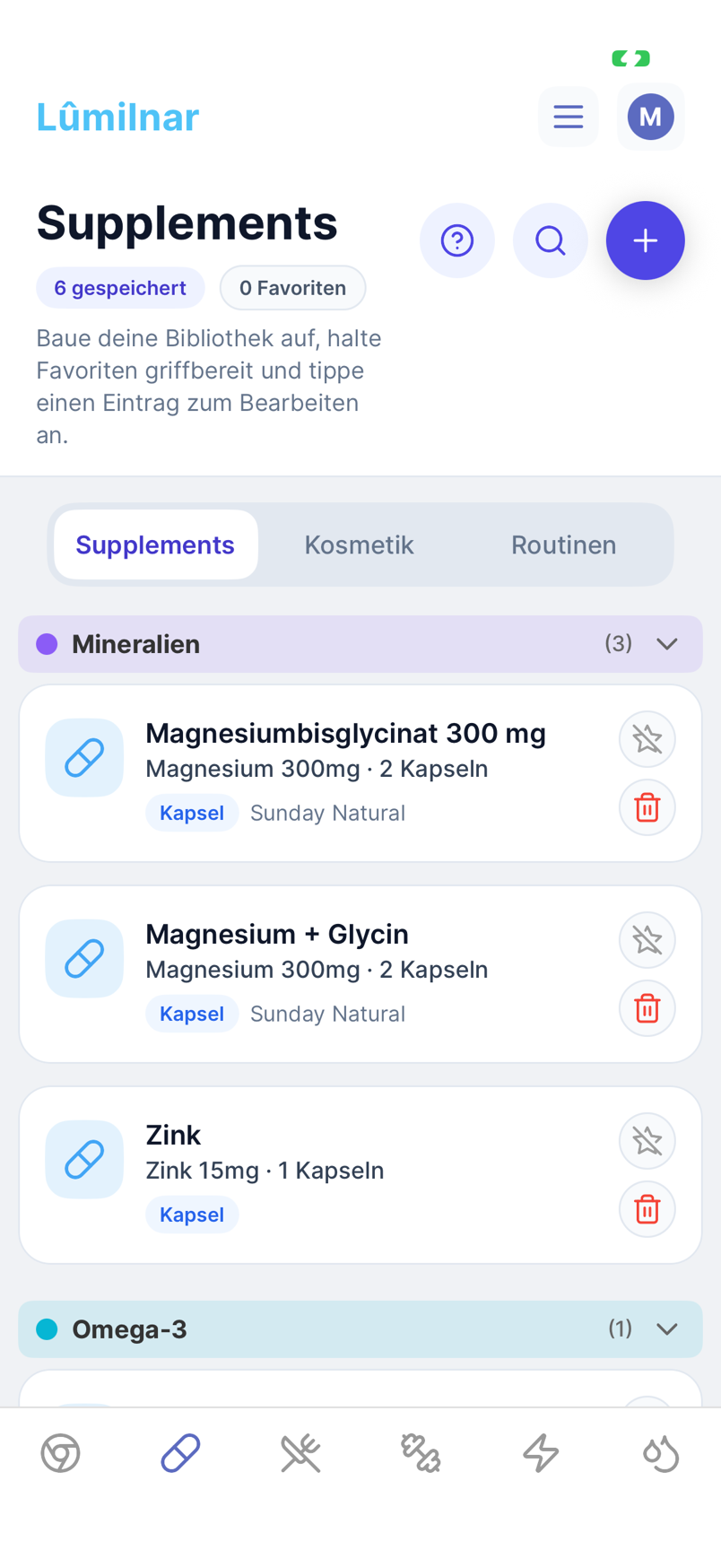
Lumilnar stores your supplements the way they sit in your cabinet: with brand, form, serving size and the active ingredients from the label. Categories (minerals, vitamins, omega-3, amino acids …) are assigned automatically, favourites stay on top. Scanning the same product again is recognised as a duplicate; no second entry is created.
Cosmetics have their own area: creams, serums and sunscreen are captured with the same label scan but kept apart from supplements.
The deep dive: more than a nutrition table
Every scanned supplement gets a deep analysis that runs in the background and lands in the product’s “Deep Dive” tab:
- About the substance: what selenium is, what the body needs it for, which foods contain it, when and by whom it was discovered.
- Dose: the product amount against typical supplementation amounts and the tolerable upper limit – as a scale, not a number.
- Form: what the compound changes – bisglycinate, citrate, oxide, picolinate – for absorption and tolerance, and whether the carrier does something itself.
- Effects, side effects, interactions: honest and short, including timing with other nutrients and medication.
- Does it fit you? A fit score from your lab values, your stack, your symptoms and goals – with the cited data points, e.g. “Selenium 68 µg/l ↓ low · 19.08.2026”.
- Coach verdict: your chosen coach style rates the product from its perspective.
Routines, reminders, weekly plan
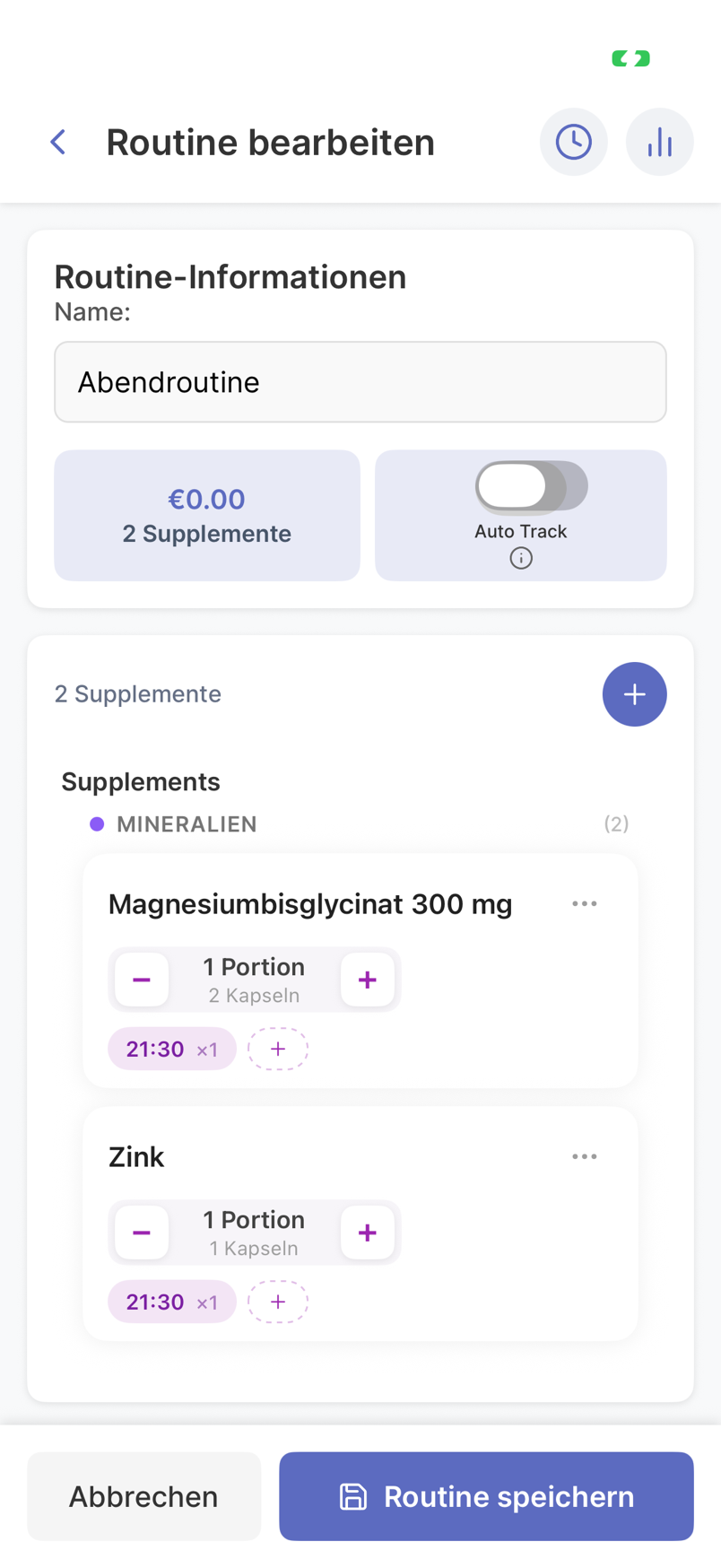
D3 and omega-3 in the morning, magnesium at night: routines bundle supplements at fixed times and weekdays. The reminder arrives as a notification; one tap confirms the intake, a second adjusts the amount. Training-day-only supplements get their weekdays set accordingly. Routines can also be created and reshaped by Claude or ChatGPT.
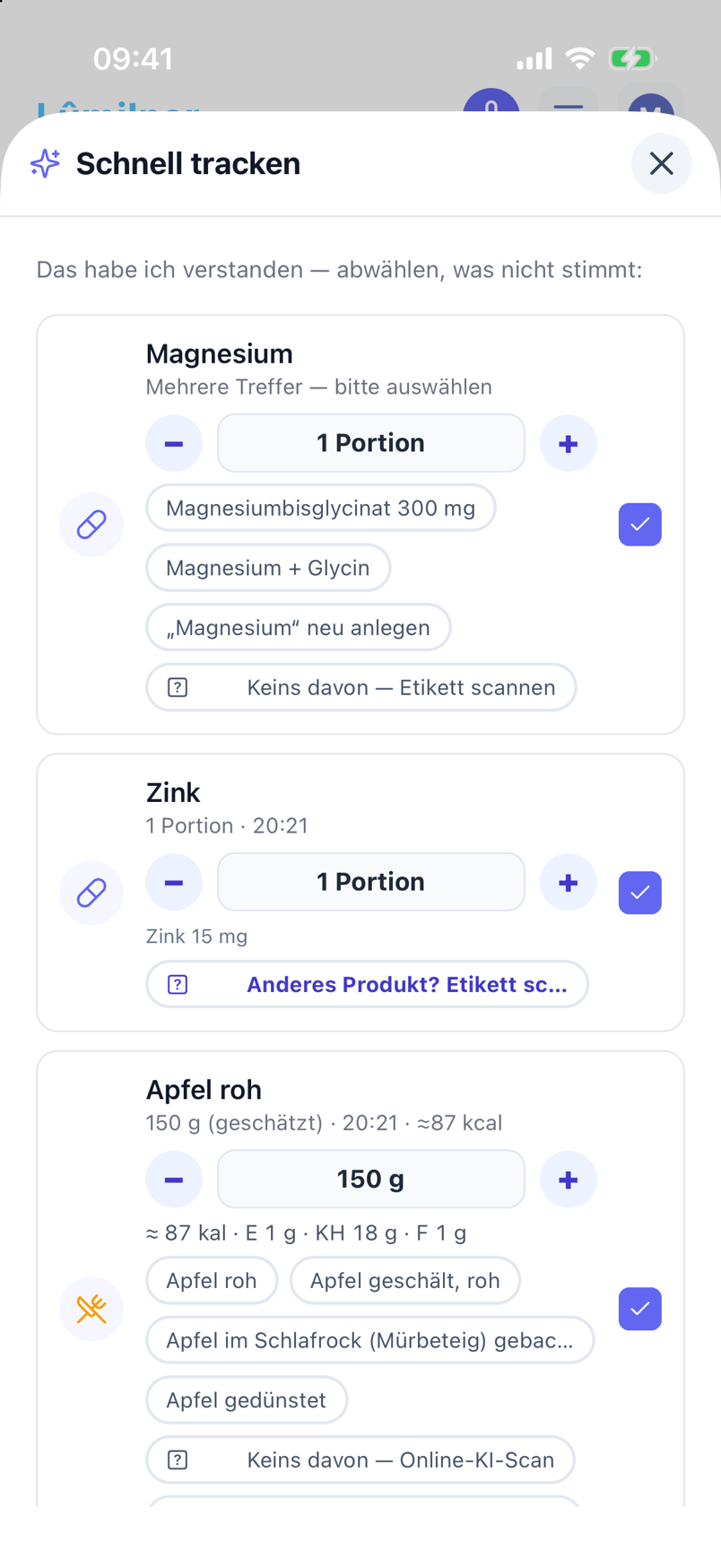
Track an intake in one sentence
Quick-Track understands “just took magnesium and zinc”, “forgot omega-3 last night” or “2 capsules D3”. The app maps the words to your products, asks when unclear and logs the intake with a time. Implausible amounts are flagged instead of silently accepted.
The same works by voice through the microphone and through the connector in Claude or ChatGPT – the intake then shows up with a popup in the app.
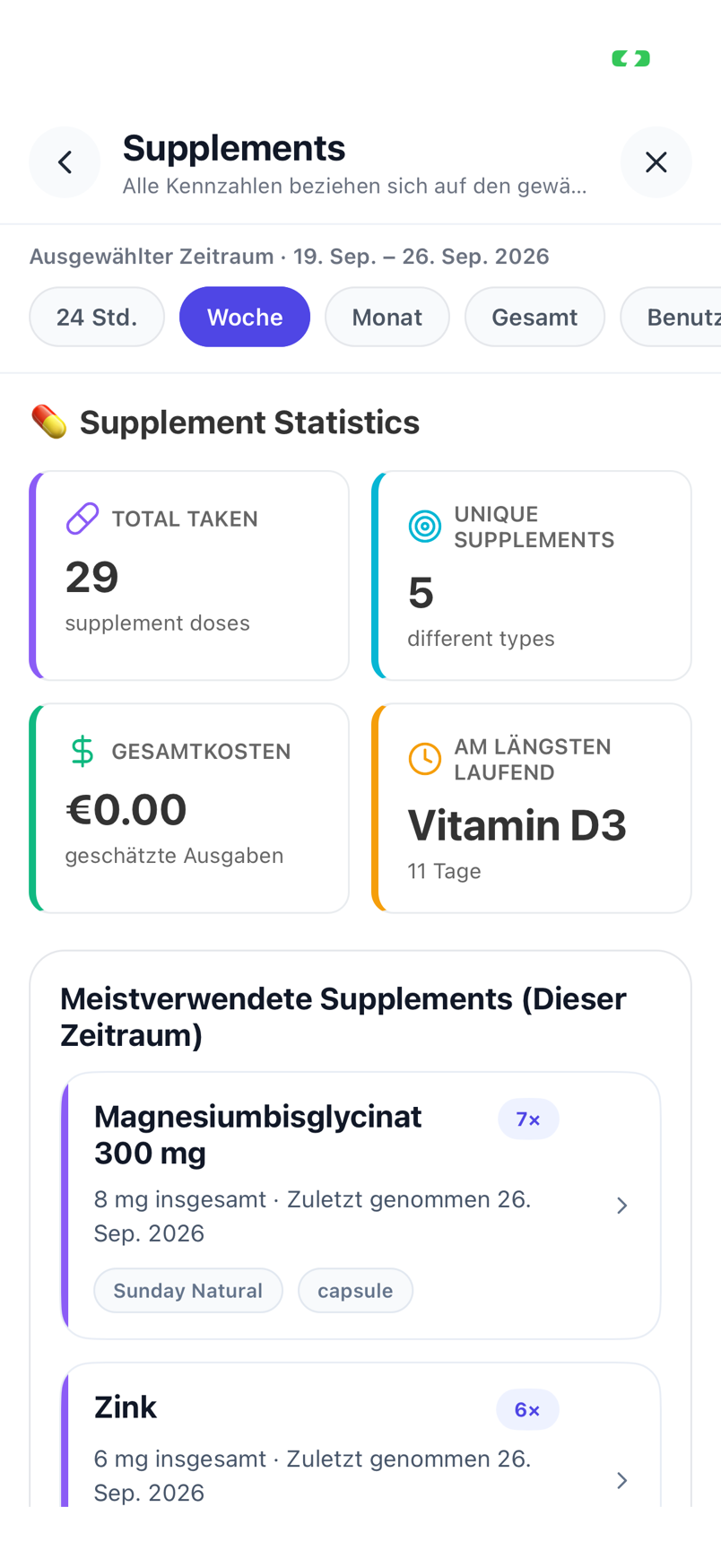
History and statistics
Per supplement you see how regularly you took it, since when, and how intakes relate to symptoms and lab values. The symptom trigger analysis uses supplement intakes as an influence factor.
Frequently asked questions
Does the label scan read small print and ingredient lists?
Yes. The scan is built for back labels with small print; it captures active ingredients with amounts and units, the serving size and the list of other ingredients. Anything unreadable is marked unreadable rather than invented.
Where do the typical amounts and upper limits in the deep dive come from?
From EFSA and US-IOM references (tolerable upper intake levels) and from the ranges commonly used in adult supplementation. When a substance has no official upper limit, the analysis says so explicitly.
Can I add supplements without scanning?
Yes, through the form with name, form, serving size and active ingredients. Claude and ChatGPT can also create supplements and routines through the connector.
Are my photos stored?
Label photos are processed for the analysis; stored images sit encrypted in the EU. The evaluation only runs if you have consented to the supplement feature.
Does the deep dive replace medical advice?
No. It puts dose, form and fit in the context of your data and flags interactions – with conditions or medication, the decision belongs to a doctor.
Lumilnar is on the App Store – free during the open beta.
Get it on the App Store