Vitals
Vitals that tell a story together
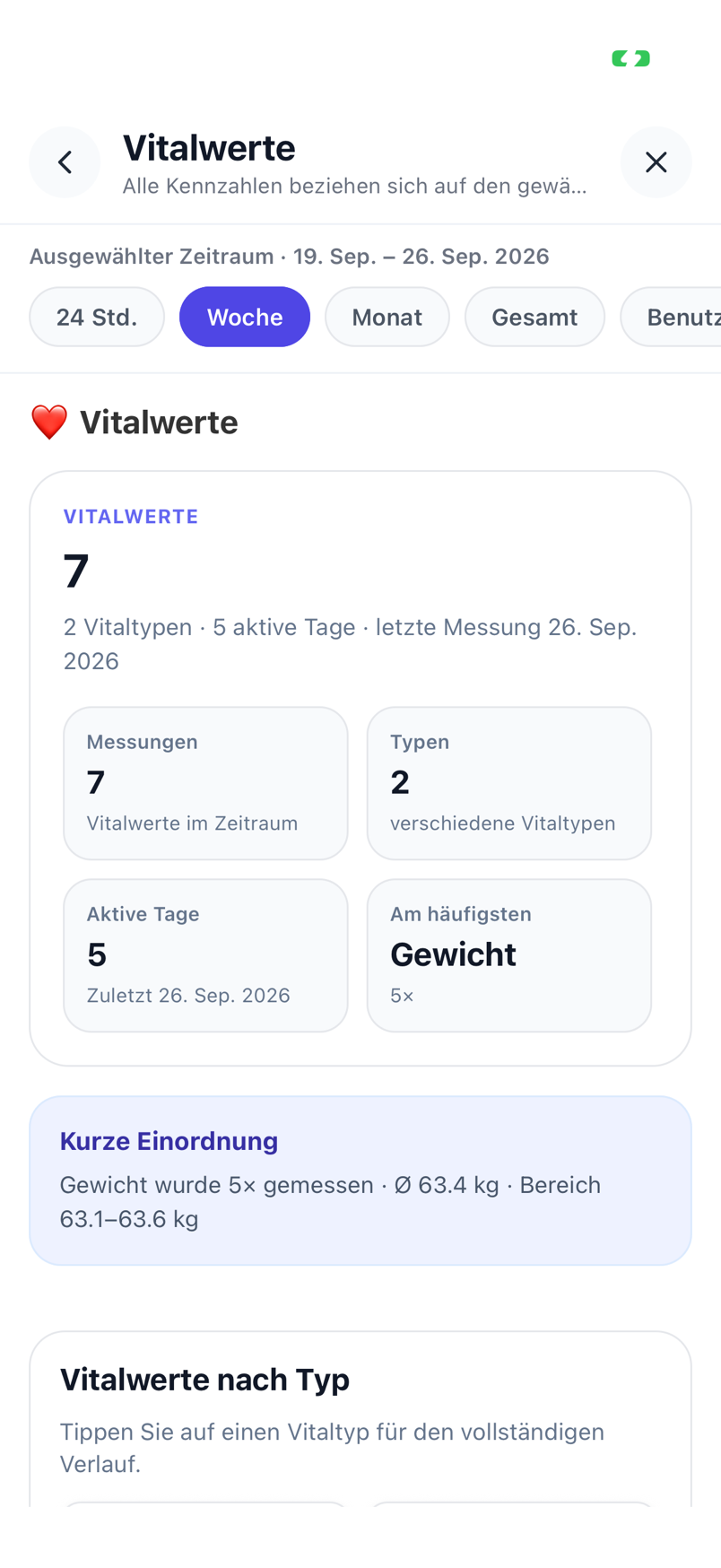
Weight in the morning, last night’s sleep, resting pulse, steps, the evening workout and how much you drank: Lumilnar collects the numbers in one place – automatically from Apple Health or with one sentence – and puts them next to food, supplements and symptoms, where they start to make sense.
- Weight, sleep, pulse, blood pressure, temperature, steps, fluids, training, bowel movements
- Apple Health and Oura: sleep, steps, workouts automatically
- One sentence is enough: “slept 7 h 20, 63.4 kg”
- Calorie goal from basal rate and measured activity instead of a questionnaire
- Trends, comparisons and daily balance
How vitals get into the app
- 1
Connect Apple Health
Allow once; from then on sleep, steps, workouts and heart rate flow in automatically – from Apple Watch or an Oura ring via Health as well.
- 2
Or say a sentence
“63.4 kg this morning”, “slept 6 h 45”, “resting pulse 58”, “2 litres of water” – Quick-Track recognises value, unit and time.
- 3
Log training
Running, strength, yoga: with duration, distance or sets and weights. Workout routines and weekly plans repeat with one tap.
- 4
Read the trends
Statistics show every metric over weeks and months, with averages and trend – and in comparison: sleep against resting pulse, weight against calorie balance.
- 5
Use the connections
Symptom analyses and the AI coach use sleep, training and vitals as context; the calorie goal adapts to your measured activity.

Automatically from Apple Health, Apple Watch and Oura
Lumilnar reads sleep, steps, workouts, heart rate and weight from Apple Health – and thus from the Apple Watch and from an Oura ring when it writes to Health. Oura also has a direct connection. Per data type you decide which source wins when several measure the same thing.
Manually in one sentence
What no sensor measures you tell the app: weight, blood pressure, temperature, fluids, bowel movements, mood. Quick-Track understands units and times, so “drank 2 litres yesterday” lands correctly. The quick-capture tiles on the home screen show what is already there today and what is missing.

Training and workout routines
Workouts with exercises, sets, reps and weights, cardio with duration and distance. Workout routines repeat a plan with one tap; weekly plans spread sessions over days. Workouts imported from Apple Health are assigned automatically.

Calorie goal from measured activity
Instead of asking “how active are you?”, Lumilnar starts with your basal metabolic rate and after the first days adds the activity calories actually measured by Apple Health. The goal follows your life, not a questionnaire – and can be overridden manually at any time.
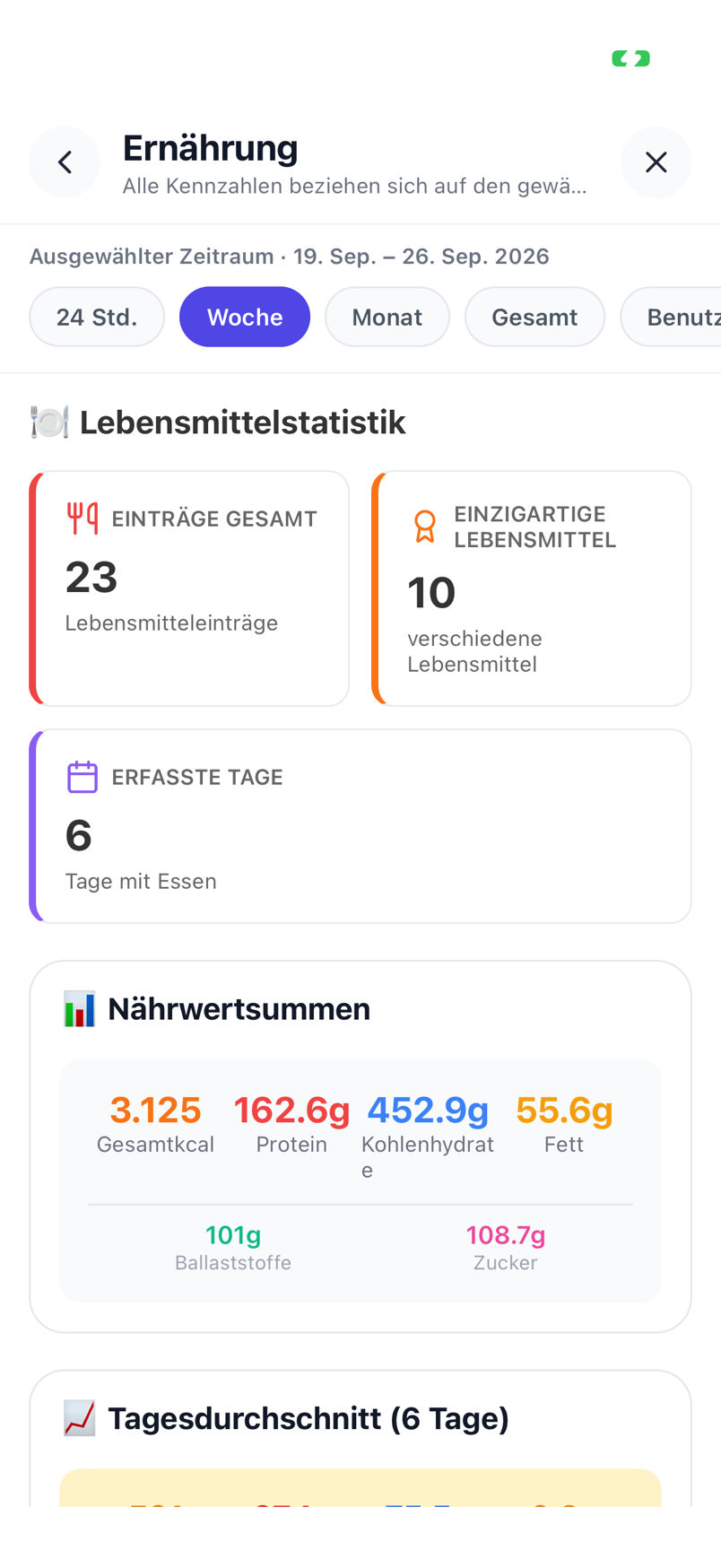
Statistics and comparisons
Every metric has its trend with weekly and monthly averages. The comparison overlays two curves – sleep duration and resting pulse, weight and calorie balance, steps and mood – and shows what belongs together.

Frequently asked questions
Do I need an Apple Watch?
No. Everything can be entered manually or by sentence. With an Apple Watch, the iPhone step counter or an Oura ring, sleep, steps and workouts are taken over automatically.
What happens when two sources measure the same thing?
You set the preferred source per data type, for example Oura for sleep and Apple Watch for workouts. Duplicate entries are avoided.
How is the calorie goal computed?
From the basal metabolic rate (age, sex, height, weight) plus the activity calories actually measured over the last days. Without measurements the basal rate is the start; a manual goal always wins.
Lumilnar is on the App Store – free during the open beta.
Get it on the App Store